
Select it. That's the whole lookup.
Highlight any word and a Pronounce button appears right beside it. You never leave the sentence you were reading.
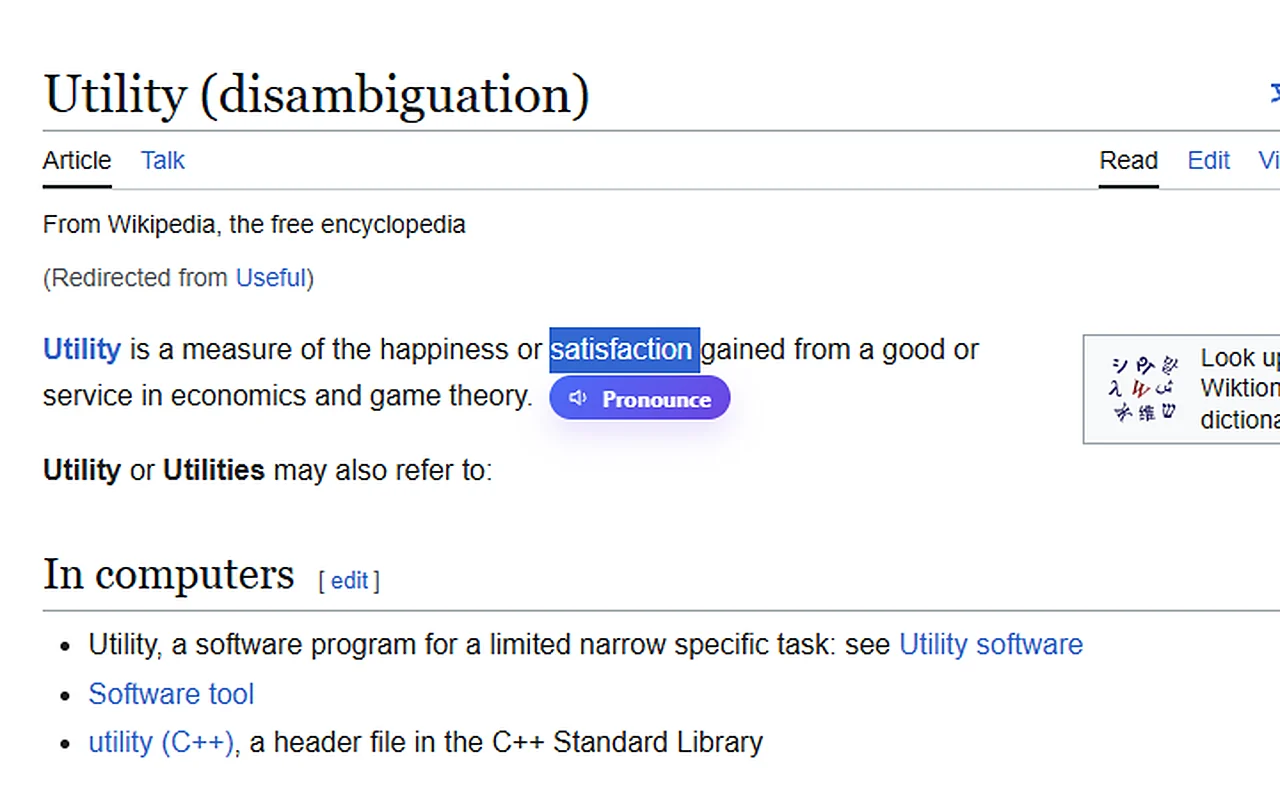
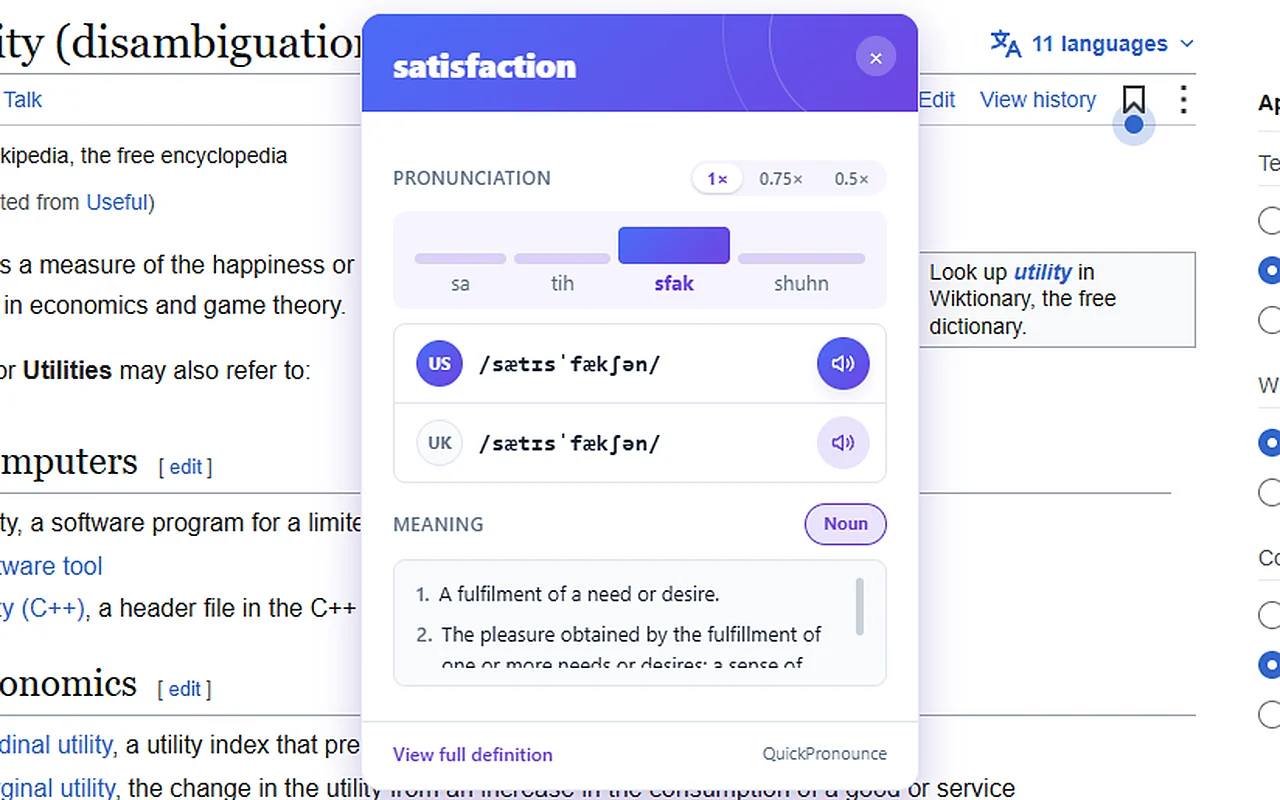
Select a word you're not sure how to say. QuickPronounce plays it right where you're reading and shows you which syllable to stress.
Try it: tap a highlighted word
The ordered , calling it the of a perfect into dessert.
/əˈpɪt.ə.mi//əˈpɪt.ə.mi/Four syllables. The final e is sounded, as it was in the Greek word it comes from.
A name in an email before the call. A term in the paper you're presenting. A word you're suddenly not sure you've been saying right. The moment you need it, checking shouldn't cost you the page you were on.
By then, you've lost your place.
You're still in the same sentence.
Highlight any word and a Pronounce button appears right beside it. You never leave the sentence you were reading.
The syllables are spelled the way they sound, and the tallest bar is the beat to lean on. Tricky one? Play it at 0.75x or 0.5x until every sound is clear.
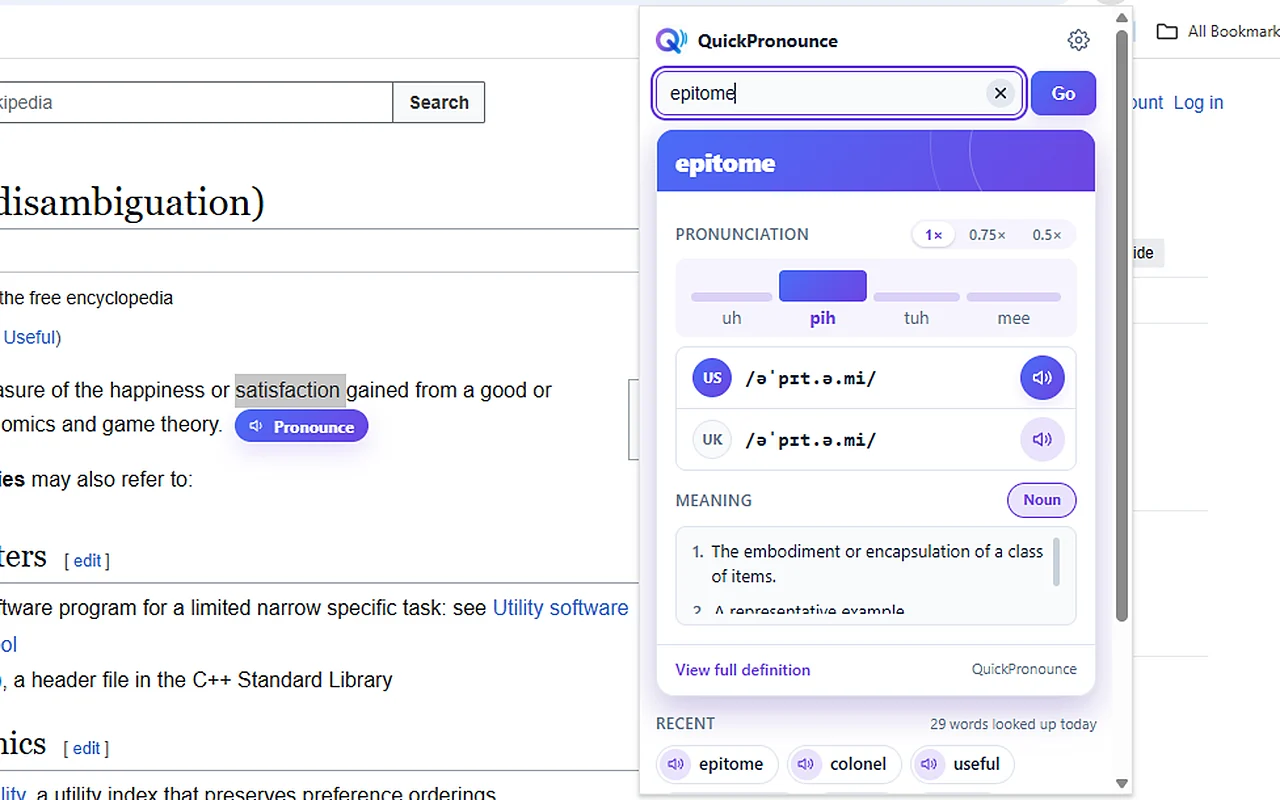
Open the popup from your toolbar and look up anything. Your last 10 words wait underneath, one click from another listen.
Not a fan of the button? Use the right-click menu or a keyboard shortcut.
Record the noun and record the verb sound different. You get both.
A quick meaning on the card, and the full entry one click away.
Pick the theme that suits the way you read.
Your browser will say the extension can "read and change all your data on all websites." Any extension that works on every site gets that wording. It's what lets the Pronounce button appear on whatever you're reading.
Read the full privacy policyThat one word is the only thing from the page that leaves your browser.
It doesn't collect page content or build a browsing history.
No third-party analytics or ads. Your recent words stay on your device.
Yes. There's no account and no card. The free version has a daily limit on new words that most people never reach, and replaying a word you've already looked up is always free.
US and UK English on every card, and you choose which one comes first.
Chrome and Edge on a computer. It isn't available on phones yet.
It works on ordinary web pages. Browsers don't let any extension run on a few protected pages, such as their own settings and store pages.